Product Meta

  • total_sales: 0
  • product_code: WDAP-W3600BE
  • applications_tab: <strong>Hotels and Hospitality</strong> In guest rooms, the WDAP-W3600BE can be seamlessly installed on the<strong> bedside</strong> <strong>wall</strong> or <strong>desk area</strong>, providing high-speed Wi-Fi for streaming, video conferencing, and online entertainment. The in-wall design preserves room aesthetics, while centralized cloud management enables hotel operators to easily monitor and maintain network performance across every room.   <strong>Modern Residences and Smart Homes</strong> For residential users, the WDAP-W3600BE integrates into the wall to keep living spaces tidy while ensuring full-home Wi-Fi coverage. It supports multiple connected devices — such as <strong>smart TVs</strong>, <strong>laptops</strong>, <strong>game consoles</strong>, and <strong>IoT appliances</strong> — delivering a smooth, intelligent, and connected lifestyle.   <strong>Campuses and Educational Institutions</strong> In classrooms and dormitories, the WDAP-W3600BE provides <strong>reliable</strong> <strong>connectivity for multiple simultaneous users</strong>, ensuring smooth e-learning, interactive whiteboard usage, and video conferencing. With PoE+ deployment, schools can reduce wiring costs while simplifying network expansion and maintenance.   <strong>Enterprise Offices and Co-working Spaces</strong> In business offices and shared workspaces, the WDAP-W3600BE provides <strong>reliable</strong>, <strong>secure wireless access</strong> for both employees and visitors. Using <strong>SSID-to-VLAN mapping and client isolation</strong>, administrators can segment networks for different user groups, improving security, optimizing performance, and ensuring efficient IT management. <img style="display: block; margin-left: auto; margin-right: auto;" src="https://www.planet.com.sa/planet-storage/2025/12/WDAP-W3600BE-5.png" alt="" width="700" height="384" />
  • key_features_tab: <strong>Standard-compliant Wireless LAN and LAN</strong> <ul> <li style="text-align: left;">Compliant with the IEEE 802.11a/b/g/n/ac/ax/be (Wi-Fi 7) wireless technology</li> <li style="text-align: left;">Equipped with one 100/1000/2500BASE-T PoE RJ45 port (WAN) and one 10/100/1000BASE-T RJ45 port (LAN), supporting auto-negotiation and auto MDI/MDI-X</li> </ul>   <strong>RF Interface Characteristics</strong> <ul> <li>Dual-band concurrent operation with maximum wireless throughput up to 3600Mbps (2.4GHz: 688Mbps, 5GHz: 2882Mbps)</li> <li>Built-in dual-band omnidirectional antennas</li> <li>Advanced Wi-Fi 7 features: 4096-QAM, MU-MIMO, OFDMA, Beamforming, and Seamless Roaming</li> </ul>   <strong>Multiple Operation Modes and Wireless Features</strong> <ul> <li>Flexible operation modes: Gateway, AP, Repeater, WISP</li> <li>Supports up to 8 SSIDs (4 per band) with VLAN-to-SSID mapping</li> <li>Wi-Fi Multimedia (WMM) for optimized audio/video streaming</li> <li>Real-time Wi-Fi channel analysis chart for interference management</li> <li>Seamless roaming with 802.11k/v/r to ensure uninterrupted client mobility</li> </ul>   <strong>Secure Network Connection</strong> <ul> <li>Comprehensive wireless security with WPA3 Personal, WPA2/WPA3 Personal, WPA2 Enterprise, WPA/WPA2 Enterprise</li> <li>VLAN support with SSID-to-VLAN mapping, plus IP/MAC filtering and client isolation</li> <li>Enhanced security with ACL management to prevent unauthorized access</li> </ul>   <strong>Easy Deployment and Cloud Management</strong> <ul> <li>Powered by 802.3af/at PoE+, simplifying installation by combining power and data through a single Ethernet cable</li> <li>Fully compatible with PLANET CloudNMS app, and AP Controllers, enabling centralized monitoring and management</li> <li>Self-healing mechanism through system auto-reboot scheduling</li> <li>User-friendly Web GUI and setup wizard for quick configuration and monitoring</li> </ul>  
  • specifications_tab: <table class="common_table_sky" style="width: 100%;"> <thead> <tr> <th colspan="2">Hardware Specifications</th> </tr> </thead> <tbody> <tr> <td class="align-middle">Interfaces</td> <td>WAN/PoE: 1 x 100/1000/2500BASE-T RJ45 port LAN: 1 x 10/100/1000BASE-T RJ45 port Auto-negotiation and auto MDI/MDI-X</td> </tr> <tr> <td class="align-middle">Antennas</td> <td>2 × internal dual-band antennas (2.4GHz: 1.7dBi, 5GHz: 3dBi)</td> </tr> <tr> <td class="align-middle">Reset Button</td> <td>Reset button on the rear side (Press 6-10 seconds to reset the device to factory default.)</td> </tr> <tr> <td class="align-middle">LED Indicators</td> <td>Composite LED (Red: Booting, Green: 2.4GHz+5GHz or 5GHz only, Blue: 2.4GHz only)</td> </tr> <tr> <td class="align-middle">Dimensions</td> <td>86 × 86 × 42.8 mm (W × D × H, with 10.8 mm beyond wall surface)</td> </tr> <tr> <td class="align-middle">Weight</td> <td>210g</td> </tr> <tr> <td class="align-middle">Power Requirements</td> <td>IEEE 802.3af/at PoE (48V DC)</td> </tr> <tr> <td class="align-middle">Power Consumption</td> <td>Max. 5.1 watts / 17.4 BTU (Power on without any connection, PoE 54V) Max. 14.1 watts / 48.1 BTU (Full loading, PoE 48V)</td> </tr> <tr> <td class="align-middle">Mounting</td> <td>In-wall mount</td> </tr> </tbody> <thead> <tr> <th colspan="2">Wireless Interface Specifications</th> </tr> </thead> <tbody> <tr> <td class="align-middle">Standard</td> <td>5GHz: IEEE 802.11be IEEE 802.11ax IEEE 802.11ac IEEE 802.11n IEEE 802.11a 2.4GHz: IEEE 802.11be IEEE 802.11ax IEEE 802.11n IEEE 802.11b IEEE 802.11g IEEE 802.3 10BASE-T IEEE 802.3u 100BASE-TX IEEE 802.3ab 1000BASE-T IEEE 802.3bz 2500BASE-T IEEE 802.3x flow control IEEE 802.11k, 802.11v, and 802.11r* IEEE 802.11i</td> </tr> <tr> <td class="align-middle">Media Access Control</td> <td>CSMA/CA</td> </tr> <tr> <td class="align-middle">Data Modulation</td> <td>802.11be: MIMO-OFDM/OFDMA (BPSK / QPSK / 16QAM / 64QAM / 256QAM / 1024QAM / 4096QAM) 802.11ax: MIMO-OFDMA (BPSK / QPSK / 16QAM / 64QAM / 256QAM, 1024QAM) 802.11ac: MIMO-OFDM (BPSK / QPSK / 16QAM / 64QAM / 256QAM) 802.11a/g/n: OFDM (BPSK / QPSK / 16QAM / 64QAM) 802.11b: DSSS (DBPSK / DQPSK / CCK)</td> </tr> <tr> <td class="align-middle">Band Mode</td> <td>2.4GHz / 5GHz concurrent mode</td> </tr> <tr> <td class="align-middle">Frequency Range</td> <td>2.4GHz: FCC: 2.412~2.462GHz ETSI: 2.412~2.472GHz 5GHz: FCC: 5.180~5.240GHz, 5.745~5.825GHz ETSI: 5.180~5.700GHz</td> </tr> <tr> <td class="align-middle">Operating Channels</td> <td>ETSI: 2.4GHz: 1, 2, 3, 4, 5, 6, 7, 8, 9, 10, 11, 12, 13 (13 Channels) 5GHz: 36, 40, 44, 48, 52, 56, 60, 64, 100, 104, 108, 112, 116, 120,124,128,132, 136, 140 (19 channels) FCC: 2.4GHz: 1, 2, 3, 4, 5, 6, 7, 8, 9, 10, 11 (11 channels) 5GHz: 36, 40, 44, 48, 52, 56, 60, 64, 100, 104, 108, 112, 116,120,124,128,132, 136, 140, 149, 153, 157, 161,165 (24 channels) <b>5GHz channel list may vary in different countries according to their regulations.</b></td> </tr> <tr> <td class="align-middle">Max. Transmit Power (dBm)</td> <td>FCC: up to 23 ± 2dBm ETSI: < 19dBm (EIRP) <table class="table-bordered-bone" cellpadding="0"> <tbody> <tr> <td align="center" bgcolor="#7f9cd3" width="200"><span style="color: #ffffff;">Network Mode</span></td> <td align="center" bgcolor="#7f9cd3" width="200"><span style="color: #ffffff;">Data Rate</span></td> <td align="center" bgcolor="#7f9cd3" width="200"><span style="color: #ffffff;">Max. Transmit Power (dBm)</span></td> </tr> <tr> <td colspan="3" valign="middle" bgcolor="#7f9cd3" width="0"><span style="color: #ffffff;">2.4G Power</span></td> </tr> <tr> <td align="center" valign="”middle”" width="100">802.11b</td> <td valign="middle" width="100">11Mbps 1Mbps</td> <td valign="middle" width="200">23±2 23±2</td> </tr> <tr> <td align="center" valign="”middle”" width="100">802.11g</td> <td valign="middle" width="100">54Mbps 6Mbps</td> <td valign="middle" width="200">20±2 22±2</td> </tr> <tr> <td align="center" valign="”middle”" width="100">802.11n HT20</td> <td valign="middle" width="100">MCS7 MCS0</td> <td valign="middle" width="200">18.5±2 21±2</td> </tr> <tr> <td align="center" valign="”middle”" width="100">802.11n HT40</td> <td valign="middle" width="100">MCS7 MCS0</td> <td valign="middle" width="200">18.5±2 21±2</td> </tr> <tr> <td align="center" valign="”middle”" width="100">802.11ax HE20</td> <td valign="middle" width="100">MCS11 MCS0</td> <td valign="middle" width="200">17±2 20.5±2</td> </tr> <tr> <td align="center" valign="”middle”" width="100">802.11ax HE40</td> <td valign="middle" width="100">MCS11 MCS0</td> <td valign="middle" width="200">17±2 20.5±2</td> </tr> <tr> <td align="center" valign="”middle”" width="100">802.11be EHT20</td> <td valign="middle" width="100">MCS13 MCS0</td> <td valign="middle" width="200">16±2 20.5±2</td> </tr> <tr> <td align="center" valign="”middle”" width="100">802.11be EHT40</td> <td valign="middle" width="100">MCS13 MCS0</td> <td valign="middle" width="200">16±2 20.5±2</td> </tr> <tr> <td colspan="3" valign="middle" bgcolor="#7f9cd3" width="0"><span style="color: #ffffff;">5G Power</span></td> </tr> <tr> <td align="center" valign="”middle”" width="100">802.11a</td> <td valign="middle" width="100">54Mbps 6Mbps</td> <td valign="middle" width="200">19.5±2 22±2</td> </tr> <tr> <td align="center" valign="”middle”" width="100">802.11n HT20</td> <td valign="middle" width="100">MCS7 MCS0</td> <td valign="middle" width="200">19±2 21±2</td> </tr> <tr> <td align="center" valign="”middle”" width="100">802.11n HT40</td> <td valign="middle" width="100">MCS7 MCS0</td> <td valign="middle" width="200">19±2 21±2</td> </tr> <tr> <td align="center" valign="”middle”" width="100">802.11ac VHT20</td> <td valign="middle" width="100">MCS8 MCS0</td> <td valign="middle" width="200">18.5±2 21±2</td> </tr> <tr> <td align="center" valign="”middle”" width="100">802.11ac VHT40</td> <td valign="middle" width="100">MCS7 MCS0</td> <td valign="middle" width="200">18.5±2 20.5±2</td> </tr> <tr> <td align="center" valign="”middle”" width="100">802.11ac VHT80</td> <td valign="middle" width="100">MCS9 MCS0</td> <td valign="middle" width="200">18.5±2 20.5±2</td> </tr> <tr> <td align="center" valign="”middle”" width="100">802.11ac VHT160</td> <td valign="middle" width="100">MCS9 MCS0</td> <td valign="middle" width="200">18±2 21±2</td> </tr> <tr> <td align="center" valign="”middle”" width="100">802.11ax HE20</td> <td valign="middle" width="100">MCS11 MCS0</td> <td valign="middle" width="200">18±2 20.5±2</td> </tr> <tr> <td align="center" valign="”middle”" width="100">802.11ax HE40</td> <td valign="middle" width="100">MCS11 MCS0</td> <td valign="middle" width="200">18±2 20.5±2</td> </tr> <tr> <td align="center" valign="”middle”" width="100">802.11ax HE80</td> <td valign="middle" width="100">MCS11 MCS0</td> <td valign="middle" width="200">17±2 20±2</td> </tr> <tr> <td align="center" valign="”middle”" width="100">802.11ax HE160</td> <td valign="middle" width="100">MCS11 MCS0</td> <td valign="middle" width="200">16±2 19.5±2</td> </tr> <tr> <td align="center" valign="”middle”" width="100">802.11be EHT20</td> <td valign="middle" width="100">MCS13 MCS0</td> <td valign="middle" width="200">15.5±2 20.5±2</td> </tr> <tr> <td align="center" valign="”middle”" width="100">802.11be EHT40</td> <td valign="middle" width="100">MCS13 MCS0</td> <td valign="middle" width="200">16±2 20.5±2</td> </tr> <tr> <td align="center" valign="”middle”" width="100">802.11be EHT80</td> <td valign="middle" width="100">MCS13 MCS0</td> <td valign="middle" width="200">15.5±2 20.5±2</td> </tr> <tr> <td align="center" valign="”middle”" width="100">802.11be EHT160</td> <td valign="middle" width="100">MCS13 MCS0</td> <td valign="middle" width="200">14.5±2 19.5±2</td> </tr> </tbody> </table> </td> </tr> <tr> <td class="align-middle">Receive Sensitivity</td> <td> <table class="table-bordered-bone" cellpadding="0"> <tbody> <tr> <td align="center" bgcolor="#7f9cd3" width="200"><span style="color: #ffffff;">Network Mode</span></td> <td align="center" bgcolor="#7f9cd3" width="200"><span style="color: #ffffff;">Data Rate</span></td> <td align="center" bgcolor="#7f9cd3" width="200"><span style="color: #ffffff;">Max. Transmit Power (dBm)</span></td> </tr> <tr> <td colspan="3" valign="middle" bgcolor="#7f9cd3" width="0"><span style="color: #ffffff;">2.4G Power</span></td> </tr> <tr> <td align="center" valign="”middle”" width="100">802.11b</td> <td valign="middle" width="100">11Mbps 1Mbps</td> <td valign="middle" width="200">-87 -95</td> </tr> <tr> <td align="center" valign="”middle”" width="100">802.11g</td> <td valign="middle" width="100">54Mbps 6Mbps</td> <td valign="middle" width="200">-75 -92</td> </tr> <tr> <td align="center" valign="”middle”" width="100">802.11n HT20</td> <td valign="middle" width="100">MCS7 MCS0</td> <td valign="middle" width="200">-74 -92</td> </tr> <tr> <td align="center" valign="”middle”" width="100">802.11n HT40</td> <td valign="middle" width="100">MCS7 MCS0</td> <td valign="middle" width="200">-71 -89</td> </tr> <tr> <td align="center" valign="”middle”" width="100">802.11ax HE20</td> <td valign="middle" width="100">MCS11 MCS0</td> <td valign="middle" width="200">-63 -92</td> </tr> <tr> <td align="center" valign="”middle”" width="100">802.11ax HE40</td> <td valign="middle" width="100">MCS11 MCS0</td> <td valign="middle" width="200">-60 -88</td> </tr> <tr> <td align="center" valign="”middle”" width="100">802.11be EHT20</td> <td valign="middle" width="100">MCS13 MCS0</td> <td valign="middle" width="200">-56 -92</td> </tr> <tr> <td align="center" valign="”middle”" width="100">802.11be EHT40</td> <td valign="middle" width="100">MCS13 MCS0</td> <td valign="middle" width="200">-53 -89</td> </tr> <tr> <td colspan="3" valign="middle" bgcolor="#7f9cd3" width="0"><span style="color: #ffffff;">5G Power</span></td> </tr> <tr> <td align="center" valign="”middle”" width="100">802.11a</td> <td valign="middle" width="100">54Mbps 6Mbps</td> <td valign="middle" width="200">-74 -91</td> </tr> <tr> <td align="center" valign="”middle”" width="100">802.11n HT20</td> <td valign="middle" width="100">MCS7 MCS0</td> <td valign="middle" width="200">-73 -90</td> </tr> <tr> <td align="center" valign="”middle”" width="100">802.11n HT40</td> <td valign="middle" width="100">MCS7 MCS0</td> <td valign="middle" width="200">-70 -87</td> </tr> <tr> <td align="center" valign="”middle”" width="100">802.11ac VHT20</td> <td valign="middle" width="100">MCS8 MCS0</td> <td valign="middle" width="200">-67 -91</td> </tr> <tr> <td align="center" valign="”middle”" width="100">802.11ac VHT40</td> <td valign="middle" width="100">MCS7 MCS0</td> <td valign="middle" width="200">-63 -88</td> </tr> <tr> <td align="center" valign="”middle”" width="100">802.11ac VHT80</td> <td valign="middle" width="100">MCS9 MCS0</td> <td valign="middle" width="200">-60 -85</td> </tr> <tr> <td align="center" valign="”middle”" width="100">802.11ax HE20</td> <td valign="middle" width="100">MCS11 MCS0</td> <td valign="middle" width="200">-62 -91</td> </tr> <tr> <td align="center" valign="”middle”" width="100">802.11ax HE40</td> <td valign="middle" width="100">MCS11 MCS0</td> <td valign="middle" width="200">-59 -89</td> </tr> <tr> <td align="center" valign="”middle”" width="100">802.11ax HE80</td> <td valign="middle" width="100">MCS11 MCS0</td> <td valign="middle" width="200">-58 -86</td> </tr> <tr> <td align="center" valign="”middle”" width="100">802.11ax HE160</td> <td valign="middle" width="100">MCS11 MCS0</td> <td valign="middle" width="200">-53 -83</td> </tr> <tr> <td align="center" valign="”middle”" width="100">802.11be EHT20</td> <td valign="middle" width="100">MCS13 MCS0</td> <td valign="middle" width="200">-55 -91</td> </tr> <tr> <td align="center" valign="”middle”" width="100">802.11be EHT40</td> <td valign="middle" width="100">MCS13 MCS0</td> <td valign="middle" width="200">-52 -88</td> </tr> <tr> <td align="center" valign="”middle”" width="100">802.11be EHT80</td> <td valign="middle" width="100">MCS13 MCS0</td> <td valign="middle" width="200">-49 -85</td> </tr> <tr> <td align="center" valign="”middle”" width="100">802.11be EHT160</td> <td valign="middle" width="100">MCS13 MCS0</td> <td valign="middle" width="200">-46 -82</td> </tr> </tbody> </table> </td> </tr> <tr> <td class="align-middle">2.4G EVM</td> <td>802.11b : ≤-10dB;802.11g : ≤-25dB;802.11n : ≤ -28dB;802.11ax : ≤ -35dB;802.11be : ≤-38dB</td> </tr> <tr> <td class="align-middle">5G EVM</td> <td>802.11a : ≤-25dB;802.11n : ≤-28dB;802.11ac : ≤ -32dB;802.11ax : ≤ -35dB;802.11be : ≤-38dB</td> </tr> </tbody> <thead> <tr> <th colspan="2">Software Features</th> </tr> </thead> <tbody> <tr> <td class="align-middle">LAN</td> <td>Static IP / Dynamic IP</td> </tr> <tr> <td class="align-middle">WAN</td> <td>Static IP Dynamic IP PPPoE/PPTP/L2TP</td> </tr> <tr> <td class="align-middle">Wireless Mode</td> <td>Access Point Gateway Repeater WISP</td> </tr> <tr> <td class="align-middle">Channel Width</td> <td>20MHz, 40MHz, 80MHz, 160MHz</td> </tr> <tr> <td class="align-middle">Encryption Security</td> <td>WPA3 Personal WPA2/WPA3 Personal WPA2 Personal (AES) WPA2 Personal (TKIP) WPA2 Personal (TKIP+AES) WPA/WPA2 Personal (AES) WPA/WPA2 Personal (TKIP) WPA/WPA2 Personal (TKIP+AES) WPA2 Enterprise (802.1X) WPA/WPA2 Enterprise (802.1X)</td> </tr> <tr> <td class="align-middle">Supported EAP Methods</td> <td>EAP - Transport Layer Security (TLS) EAP-Tunneled TLS (TTLS) + Microsoft Challenge Handshake Authentication Protocol Version 2 (MSCHAPv2) Protected EAP (PEAP) v0 + EAP-MSCHAPv2 PEAP v1 + EAP-Generic Token Card (GTC)</td> </tr> <tr> <td class="align-middle">Wireless Security</td> <td>Enable/Disable SSID broadcast Wireless max. 32 MAC address filtering User isolation</td> </tr> <tr> <td class="align-middle">Max. SSIDs</td> <td>8 (4 per radio)</td> </tr> <tr> <td class="align-middle">Max. Clients</td> <td>256 (128 is suggested, depending on usage)</td> </tr> <tr> <td class="align-middle">Wireless QoS</td> <td>Supports Wi-Fi Multimedia (WMM)</td> </tr> <tr> <td class="align-middle">Wireless Advanced</td> <td>Auto Channel Selection 5-level Transmit Power Control Max (100%), Efficient (75%), Enhanced (50%), Standard (25%) or Min (15%) Client Limit Control, Coverage Threshold Wi-Fi channel analysis chart Seamless roaming Beamforming BSS coloring</td> </tr> <tr> <td class="align-middle">Status Monitoring</td> <td>Device status, wireless client List PLANET Smart Discovery DHCP client table System Log supports remote syslog server</td> </tr> <tr> <td class="align-middle">VLAN</td> <td>IEEE 802.1Q VLAN (VID: 1~4094) SSID-to-VLAN mapping to up to 4 SSIDs</td> </tr> <tr> <td class="align-middle">Self-healing</td> <td>Supports auto reboot settings per day/hour</td> </tr> <tr> <td class="align-middle">Management</td> <td>Remote management through PLANET DDNS/ Easy DDNS Configuration backup and restore Supports UPnP* Supports IGMP Proxy Supports PPTP/L2TP/IPSec VPN Pass-through Supports Captive Portal, RADIUS Server/Client</td> </tr> <tr> <td class="align-middle">Central Management</td> <td>Applicable controllers: NMS APC, WS APC, VR/IVR APC, ICG APC, PLANET CloudNMS</td> </tr> </tbody> <thead> <tr> <th colspan="2">Environment & Certification</th> </tr> </thead> <tbody> <tr> <td class="align-middle">Temperature</td> <td>Operating: -10~ 50 degrees C Storage: -40 ~ 70 degrees C</td> </tr> <tr> <td class="align-middle">Humidity</td> <td>Operating: 10 ~ 90% (non-condensing) Storage: 5 ~ 95% (non-condensing)</td> </tr> <tr> <td class="align-middle">Regulatory</td> <td>CE, RoHS</td> </tr> </tbody> </table>
  • ekit_post_views_count: 140
  • datasheet:
  • quick_guide:
  • users_manual:
  • ec_declaration:
  • android_app:
  • driver:
  • firmware:
  • utility:
  • compatible_list:
  • accessories_table:
  • product_label:
  • prouduct_loop_image_transparent_bg_:
  • 6_features_images:
  • site-sidebar-layout: default
  • ast-site-content-layout: default
  • site-content-style: default
  • site-sidebar-style: default
  • theme-transparent-header-meta: default
  • astra-migrate-meta-layouts: set
  • rank_math_news_sitemap_robots: index
  • rank_math_robots: a:1:{i:0;s:5:"index";}
  • rank_math_internal_links_processed: 1

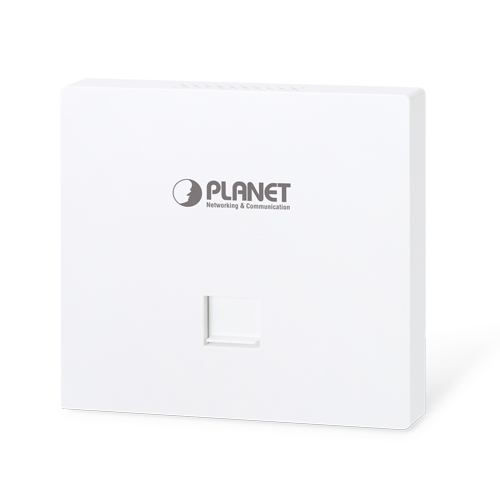
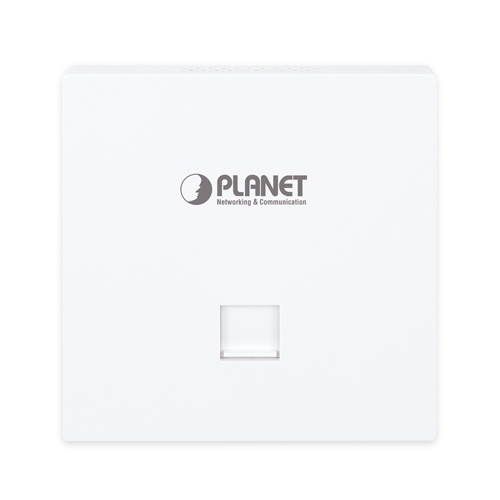
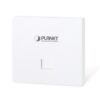
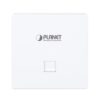
Wi-Fi 7 Dual Band 802.11be 3600Mbps In-wall Wireless Access Point

» WDAP-W3600BE

Wi-Fi 7 In-wall Access Point for Stylish and High-density Networking

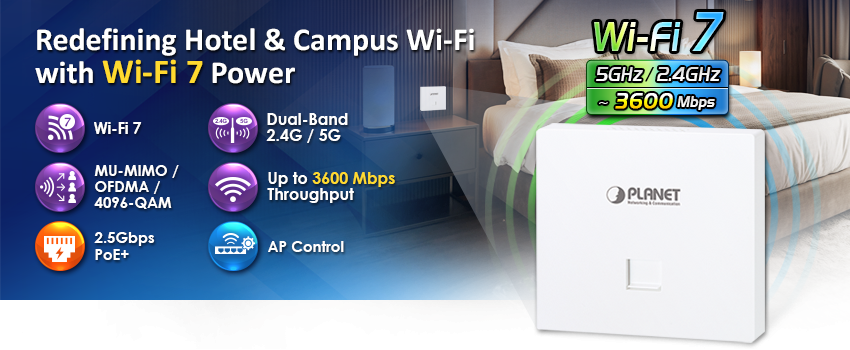
PLANET WDAP-W3600BE is a new-generation in-wall wireless access point designed to deliver enterprise-grade performance with modern aesthetics. Supporting the latest Wi-Fi 7 (802.11be) standard, it provides an aggregated wireless throughput of up to 3600Mbps (2.4GHz: 688Mbps + 5GHz: 2882Mbps). This ensures lightning-fast speed, ultra-low latency, and reliable connectivity, enabling smooth operation of 4K/8K streaming, AR/VR, cloud collaboration, and smart applications.

Compact In-wall Design for Seamless Integration

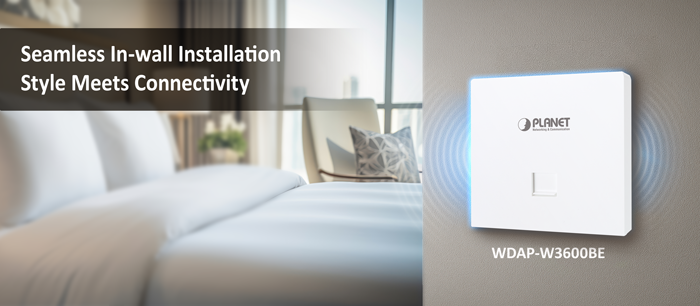
With its 86 x 86 mm in-wall form factor, the WDAP-W3600BE blends naturally into any interior, making it the ideal solution for hotels, residences, offices, and classrooms. By eliminating visible cabling and bulky equipment, it delivers high-performance networking while preserving a clean and elegant environment.

High-density Performance with Enterprise Reliability

Equipped with advanced Wi-Fi 7 technologies including 4096-QAM, MU-MIMO, OFDMA, beamforming, and seamless roaming, the WDAP-W3600BE ensures stable connectivity in interference-prone, high-density scenarios such as offices, classrooms, and hotels.

Robust Security and Business-ready Features

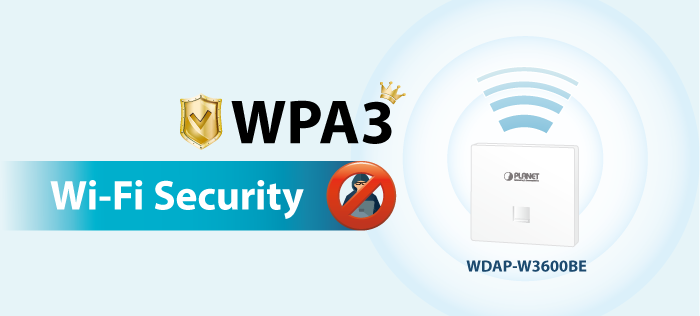
To safeguard sensitive business and personal data, the WDAP-W3600BE supports the latest WPA3 encryption, VLAN-to-SSID mapping, and client isolation. Combined with its flexible SSID configuration and advanced access control, it ensures a secure and well-segmented wireless environment for both commercial and hospitality applications.

Flexible PoE+ Deployment

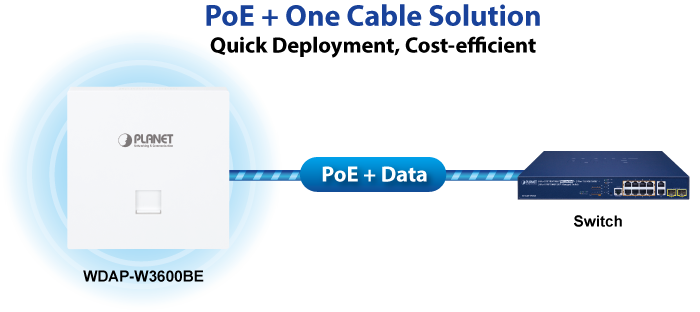
Powered via 802.3at PoE+, the WDAP-W3600BE simplifies installation by delivering both power and data through a single Ethernet cable. This reduces the need for additional cabling, lowers deployment costs, and makes installation more flexible across various environments.

PLANET CloudNMS – Cloud-Based Universal Network Management

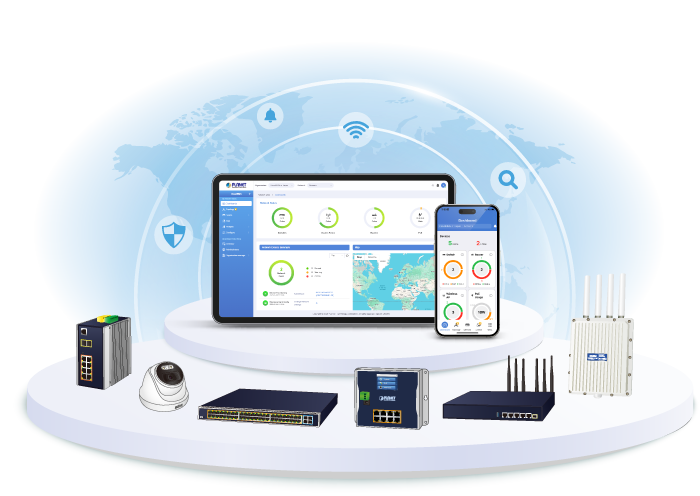
PLANET’s CloudNMS platform and mobile app empower IT staff to remotely manage all network devices and Powered Devices (PDs) in real time. Designed for enterprises and industries, CloudNMS minimizes the need for on-site troubleshooting by providing centralized monitoring, fault detection, and instant alerts.

With CloudNMS, businesses can manage diverse network deployments more efficiently, securely, and intelligently—all from a single cloud-based platform.

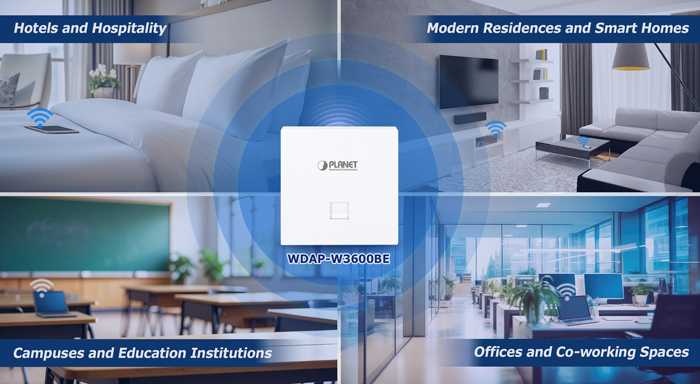
Hotels and Hospitality

In guest rooms, the WDAP-W3600BE can be seamlessly installed on the bedside wall or desk area, providing high-speed Wi-Fi for streaming, video conferencing, and online entertainment. The in-wall design preserves room aesthetics, while centralized cloud management enables hotel operators to easily monitor and maintain network performance across every room.


Modern Residences and Smart Homes

For residential users, the WDAP-W3600BE integrates into the wall to keep living spaces tidy while ensuring full-home Wi-Fi coverage. It supports multiple connected devices — such as smart TVs, laptops, game consoles, and IoT appliances — delivering a smooth, intelligent, and connected lifestyle.


Campuses and Educational Institutions

In classrooms and dormitories, the WDAP-W3600BE provides reliable connectivity for multiple simultaneous users, ensuring smooth e-learning, interactive whiteboard usage, and video conferencing. With PoE+ deployment, schools can reduce wiring costs while simplifying network expansion and maintenance.


Enterprise Offices and Co-working Spaces

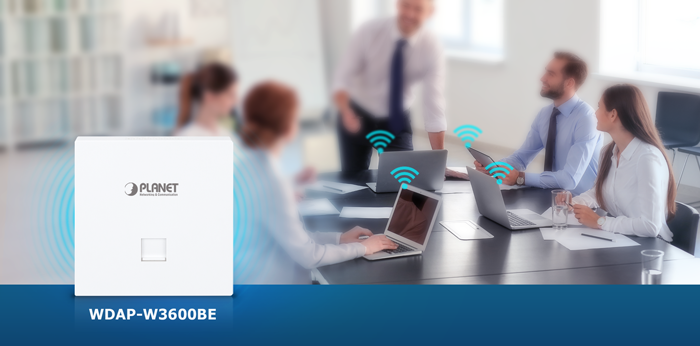
In business offices and shared workspaces, the WDAP-W3600BE provides reliable, secure wireless access for both employees and visitors. Using SSID-to-VLAN mapping and client isolation, administrators can segment networks for different user groups, improving security, optimizing performance, and ensuring efficient IT management.

Standard-compliant Wireless LAN and LAN

  • Compliant with the IEEE 802.11a/b/g/n/ac/ax/be (Wi-Fi 7) wireless technology
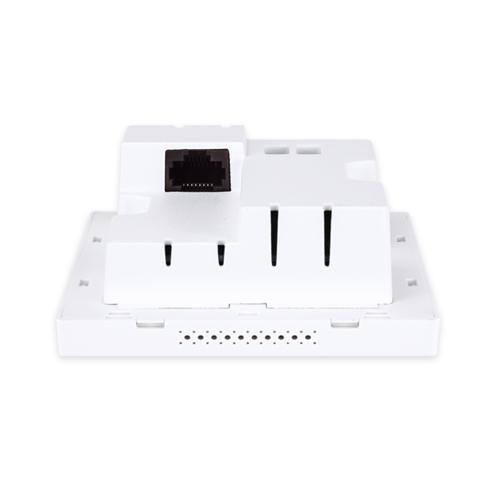
  • Equipped with one 100/1000/2500BASE-T PoE RJ45 port (WAN) and one 10/100/1000BASE-T RJ45 port (LAN), supporting auto-negotiation and auto MDI/MDI-X


RF Interface Characteristics

  • Dual-band concurrent operation with maximum wireless throughput up to 3600Mbps (2.4GHz: 688Mbps, 5GHz: 2882Mbps)
  • Built-in dual-band omnidirectional antennas
  • Advanced Wi-Fi 7 features: 4096-QAM, MU-MIMO, OFDMA, Beamforming, and Seamless Roaming


Multiple Operation Modes and Wireless Features

  • Flexible operation modes: Gateway, AP, Repeater, WISP
  • Supports up to 8 SSIDs (4 per band) with VLAN-to-SSID mapping
  • Wi-Fi Multimedia (WMM) for optimized audio/video streaming
  • Real-time Wi-Fi channel analysis chart for interference management
  • Seamless roaming with 802.11k/v/r to ensure uninterrupted client mobility


Secure Network Connection

  • Comprehensive wireless security with WPA3 Personal, WPA2/WPA3 Personal, WPA2 Enterprise, WPA/WPA2 Enterprise
  • VLAN support with SSID-to-VLAN mapping, plus IP/MAC filtering and client isolation
  • Enhanced security with ACL management to prevent unauthorized access


Easy Deployment and Cloud Management

  • Powered by 802.3af/at PoE+, simplifying installation by combining power and data through a single Ethernet cable
  • Fully compatible with PLANET CloudNMS app, and AP Controllers, enabling centralized monitoring and management
  • Self-healing mechanism through system auto-reboot scheduling
  • User-friendly Web GUI and setup wizard for quick configuration and monitoring


Hardware Specifications
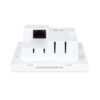
InterfacesWAN/PoE: 1 x 100/1000/2500BASE-T RJ45 port
LAN: 1 x 10/100/1000BASE-T RJ45 port
Auto-negotiation and auto MDI/MDI-X
Antennas2 × internal dual-band antennas (2.4GHz: 1.7dBi, 5GHz: 3dBi)
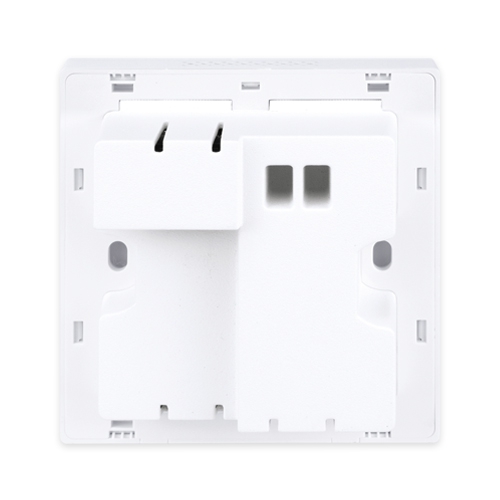
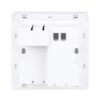
Reset ButtonReset button on the rear side (Press 6-10 seconds to reset the device to factory default.)
LED IndicatorsComposite LED (Red: Booting, Green: 2.4GHz+5GHz or 5GHz only, Blue: 2.4GHz only)
Dimensions86 × 86 × 42.8 mm (W × D × H, with 10.8 mm beyond wall surface)
Weight210g
Power RequirementsIEEE 802.3af/at PoE (48V DC)
Power ConsumptionMax. 5.1 watts / 17.4 BTU (Power on without any connection, PoE 54V)
Max. 14.1 watts / 48.1 BTU (Full loading, PoE 48V)
MountingIn-wall mount
Wireless Interface Specifications
Standard5GHz:
IEEE 802.11be
IEEE 802.11ax
IEEE 802.11ac
IEEE 802.11n
IEEE 802.11a
2.4GHz:
IEEE 802.11be
IEEE 802.11ax
IEEE 802.11n
IEEE 802.11b
IEEE 802.11g
IEEE 802.3 10BASE-T
IEEE 802.3u 100BASE-TX
IEEE 802.3ab 1000BASE-T
IEEE 802.3bz 2500BASE-T
IEEE 802.3x flow control
IEEE 802.11k, 802.11v, and 802.11r*
IEEE 802.11i
Media Access ControlCSMA/CA
Data Modulation802.11be: MIMO-OFDM/OFDMA (BPSK / QPSK / 16QAM / 64QAM / 256QAM / 1024QAM / 4096QAM)
802.11ax: MIMO-OFDMA (BPSK / QPSK / 16QAM / 64QAM / 256QAM, 1024QAM)
802.11ac: MIMO-OFDM (BPSK / QPSK / 16QAM / 64QAM / 256QAM)
802.11a/g/n: OFDM (BPSK / QPSK / 16QAM / 64QAM)
802.11b: DSSS (DBPSK / DQPSK / CCK)
Band Mode2.4GHz / 5GHz concurrent mode
Frequency Range2.4GHz:
FCC: 2.412~2.462GHz
ETSI: 2.412~2.472GHz
5GHz:
FCC: 5.180~5.240GHz, 5.745~5.825GHz
ETSI: 5.180~5.700GHz
Operating ChannelsETSI:
2.4GHz: 1, 2, 3, 4, 5, 6, 7, 8, 9, 10, 11, 12, 13 (13 Channels)
5GHz: 36, 40, 44, 48, 52, 56, 60, 64, 100, 104, 108, 112, 116, 120,124,128,132, 136, 140 (19 channels)
FCC:
2.4GHz: 1, 2, 3, 4, 5, 6, 7, 8, 9, 10, 11 (11 channels)
5GHz: 36, 40, 44, 48, 52, 56, 60, 64, 100, 104, 108, 112, 116,120,124,128,132, 136, 140, 149, 153, 157, 161,165 (24 channels)

5GHz channel list may vary in different countries according to their regulations.

Max. Transmit Power (dBm)FCC: up to 23 ± 2dBm
ETSI: < 19dBm (EIRP)

Network ModeData RateMax. Transmit Power (dBm)
2.4G Power
802.11b11Mbps
1Mbps
23±2
23±2
802.11g54Mbps
6Mbps
20±2
22±2
802.11n HT20MCS7
MCS0
18.5±2
21±2
802.11n HT40MCS7
MCS0
18.5±2
21±2
802.11ax HE20MCS11
MCS0
17±2
20.5±2
802.11ax HE40MCS11
MCS0
17±2
20.5±2
802.11be EHT20MCS13
MCS0
16±2
20.5±2
802.11be EHT40MCS13
MCS0
16±2
20.5±2
5G Power
802.11a54Mbps
6Mbps
19.5±2
22±2
802.11n HT20MCS7
MCS0
19±2
21±2
802.11n HT40MCS7
MCS0
19±2
21±2
802.11ac VHT20MCS8
MCS0
18.5±2
21±2
802.11ac VHT40MCS7
MCS0
18.5±2
20.5±2
802.11ac VHT80MCS9
MCS0
18.5±2
20.5±2
802.11ac VHT160MCS9
MCS0
18±2
21±2
802.11ax HE20MCS11
MCS0
18±2
20.5±2
802.11ax HE40MCS11
MCS0
18±2
20.5±2
802.11ax HE80MCS11
MCS0
17±2
20±2
802.11ax HE160MCS11
MCS0
16±2
19.5±2
802.11be EHT20MCS13
MCS0
15.5±2
20.5±2
802.11be EHT40MCS13
MCS0
16±2
20.5±2
802.11be EHT80MCS13
MCS0
15.5±2
20.5±2
802.11be EHT160MCS13
MCS0
14.5±2
19.5±2
Receive Sensitivity
Network ModeData RateMax. Transmit Power (dBm)
2.4G Power
802.11b11Mbps
1Mbps
-87
-95
802.11g54Mbps
6Mbps
-75
-92
802.11n HT20MCS7
MCS0
-74
-92
802.11n HT40MCS7
MCS0
-71
-89
802.11ax HE20MCS11
MCS0
-63
-92
802.11ax HE40MCS11
MCS0
-60
-88
802.11be EHT20MCS13
MCS0
-56
-92
802.11be EHT40MCS13
MCS0
-53
-89
5G Power
802.11a54Mbps
6Mbps
-74
-91
802.11n HT20MCS7
MCS0
-73
-90
802.11n HT40MCS7
MCS0
-70
-87
802.11ac VHT20MCS8
MCS0
-67
-91
802.11ac VHT40MCS7
MCS0
-63
-88
802.11ac VHT80MCS9
MCS0
-60
-85
802.11ax HE20MCS11
MCS0
-62
-91
802.11ax HE40MCS11
MCS0
-59
-89
802.11ax HE80MCS11
MCS0
-58
-86
802.11ax HE160MCS11
MCS0
-53
-83
802.11be EHT20MCS13
MCS0
-55
-91
802.11be EHT40MCS13
MCS0
-52
-88
802.11be EHT80MCS13
MCS0
-49
-85
802.11be EHT160MCS13
MCS0
-46
-82
2.4G EVM802.11b : ≤-10dB;802.11g : ≤-25dB;802.11n : ≤ -28dB;802.11ax : ≤ -35dB;802.11be : ≤-38dB
5G EVM802.11a : ≤-25dB;802.11n : ≤-28dB;802.11ac : ≤ -32dB;802.11ax : ≤ -35dB;802.11be : ≤-38dB
Software Features
LANStatic IP / Dynamic IP
WANStatic IP
Dynamic IP
PPPoE/PPTP/L2TP
Wireless ModeAccess Point
Gateway
Repeater
WISP
Channel Width20MHz, 40MHz, 80MHz, 160MHz
Encryption SecurityWPA3 Personal
WPA2/WPA3 Personal
WPA2 Personal (AES)
WPA2 Personal (TKIP)
WPA2 Personal (TKIP+AES)
WPA/WPA2 Personal (AES)
WPA/WPA2 Personal (TKIP)
WPA/WPA2 Personal (TKIP+AES)
WPA2 Enterprise (802.1X)
WPA/WPA2 Enterprise (802.1X)
Supported EAP MethodsEAP – Transport Layer Security (TLS)
EAP-Tunneled TLS (TTLS) + Microsoft Challenge Handshake Authentication Protocol Version 2 (MSCHAPv2)
Protected EAP (PEAP) v0 + EAP-MSCHAPv2
PEAP v1 + EAP-Generic Token Card (GTC)
Wireless SecurityEnable/Disable SSID broadcast
Wireless max. 32 MAC address filtering
User isolation
Max. SSIDs8 (4 per radio)
Max. Clients256 (128 is suggested, depending on usage)
Wireless QoSSupports Wi-Fi Multimedia (WMM)
Wireless AdvancedAuto Channel Selection
5-level Transmit Power Control Max (100%), Efficient (75%), Enhanced (50%), Standard (25%) or Min (15%)
Client Limit Control, Coverage Threshold
Wi-Fi channel analysis chart
Seamless roaming
Beamforming
BSS coloring
Status MonitoringDevice status, wireless client List
PLANET Smart Discovery
DHCP client table
System Log supports remote syslog server
VLANIEEE 802.1Q VLAN (VID: 1~4094)
SSID-to-VLAN mapping to up to 4 SSIDs
Self-healingSupports auto reboot settings per day/hour
ManagementRemote management through PLANET DDNS/ Easy DDNS
Configuration backup and restore
Supports UPnP*
Supports IGMP Proxy
Supports PPTP/L2TP/IPSec VPN Pass-through
Supports Captive Portal, RADIUS Server/Client
Central ManagementApplicable controllers: NMS APC, WS APC, VR/IVR APC, ICG APC, PLANET CloudNMS
Environment & Certification
TemperatureOperating: -10~ 50 degrees C
Storage: -40 ~ 70 degrees C
HumidityOperating: 10 ~ 90% (non-condensing)
Storage: 5 ~ 95% (non-condensing)
RegulatoryCE, RoHS

Ordering Information

WDAP-W3600BE

Wi-Fi 7 Dual Band 802.11be 3600Mbps In-wall Wireless Access Point

Subscribe to PLANET e Newsletter

Receive the latest product information and company news!